
Most creators write the title, then make the thumbnail. Or the other way round.
That's the problem. Viewers never see them apart. In the feed, the picture and the words land at the same moment, and together they decide if someone clicks or scrolls.
In this guide you'll learn how to plan your title and thumbnail as one package, the simple rule that stops them from repeating each other, six pairings that keep working in 2027 and how Thumble makes matching thumbnails in minutes.
Why Titles and Thumbnails Are One Job
YouTube shows your video as a small card. A thumbnail, a title, your channel name and a view count. That card is your packaging.
When someone sees it, their eyes jump to the picture first. Then they glance at the title to understand what the picture means. The whole thing takes about a second.
If the two parts tell the same story, the viewer feels bored. If they tell different stories, the viewer feels confused. If they tell one story from two angles, the viewer feels curious. Curious people click.
And clicks are only half of it. YouTube watches what happens after the click too. A package that promises one thing and delivers another gets quick exits, and quick exits tell YouTube to stop showing your video. The best packages are honest and intriguing at the same time.
The Golden Rule, the Title Tells and the Thumbnail Shows
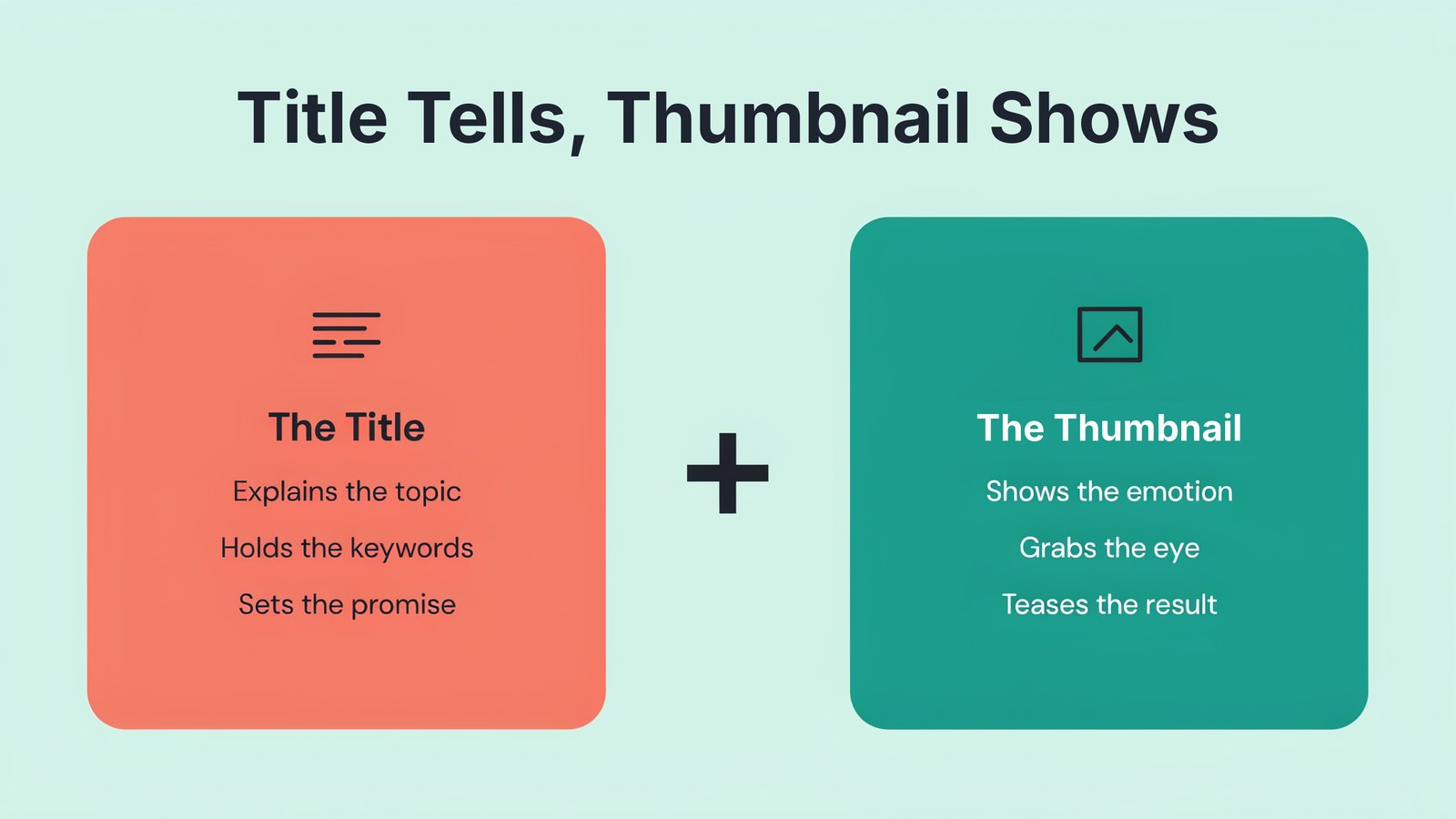
Here's the simplest way to think about it.
The title tells. It explains the topic in words, holds the keywords people search for and makes a clear promise.
The thumbnail shows. It shows an emotion, a result, a moment or a contrast. It grabs the eye before a single word is read.
Each part should carry information the other one doesn't. When they overlap completely, you've wasted half your packaging.
Take a video about saving money on groceries. A weak package has the title "How I Saved Money on Groceries" and a thumbnail that says SAVING MONEY ON GROCERIES. A strong package keeps the same title, but the thumbnail shows a shocked face next to a receipt with a big $43 circled. Now the viewer wants to know how the bill got that low.
Repeat Versus Complement
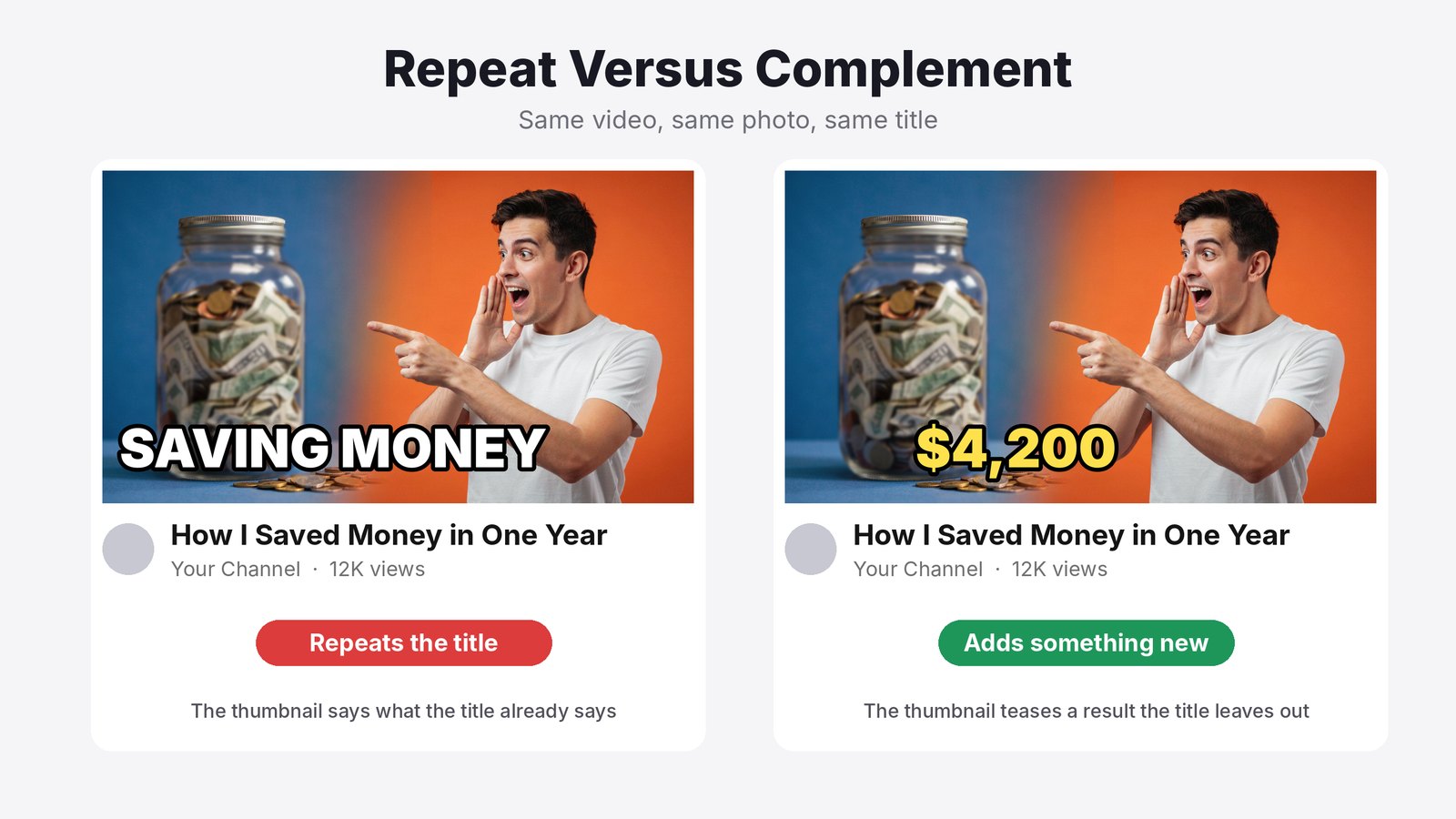
Look at the two packages above. Same video. Same photo. Same title.
On the left, the thumbnail text repeats the title. Your brain reads the same idea twice and moves on.
On the right, the thumbnail adds a number the title doesn't mention. The title tells you what the video is about. The thumbnail teases the result. Together they open a gap that only the video can close.
That gap is what creators mean when they talk about a curiosity gap. You don't hide what the video is about. You hide the answer.
Where the Viewer's Eye Goes First
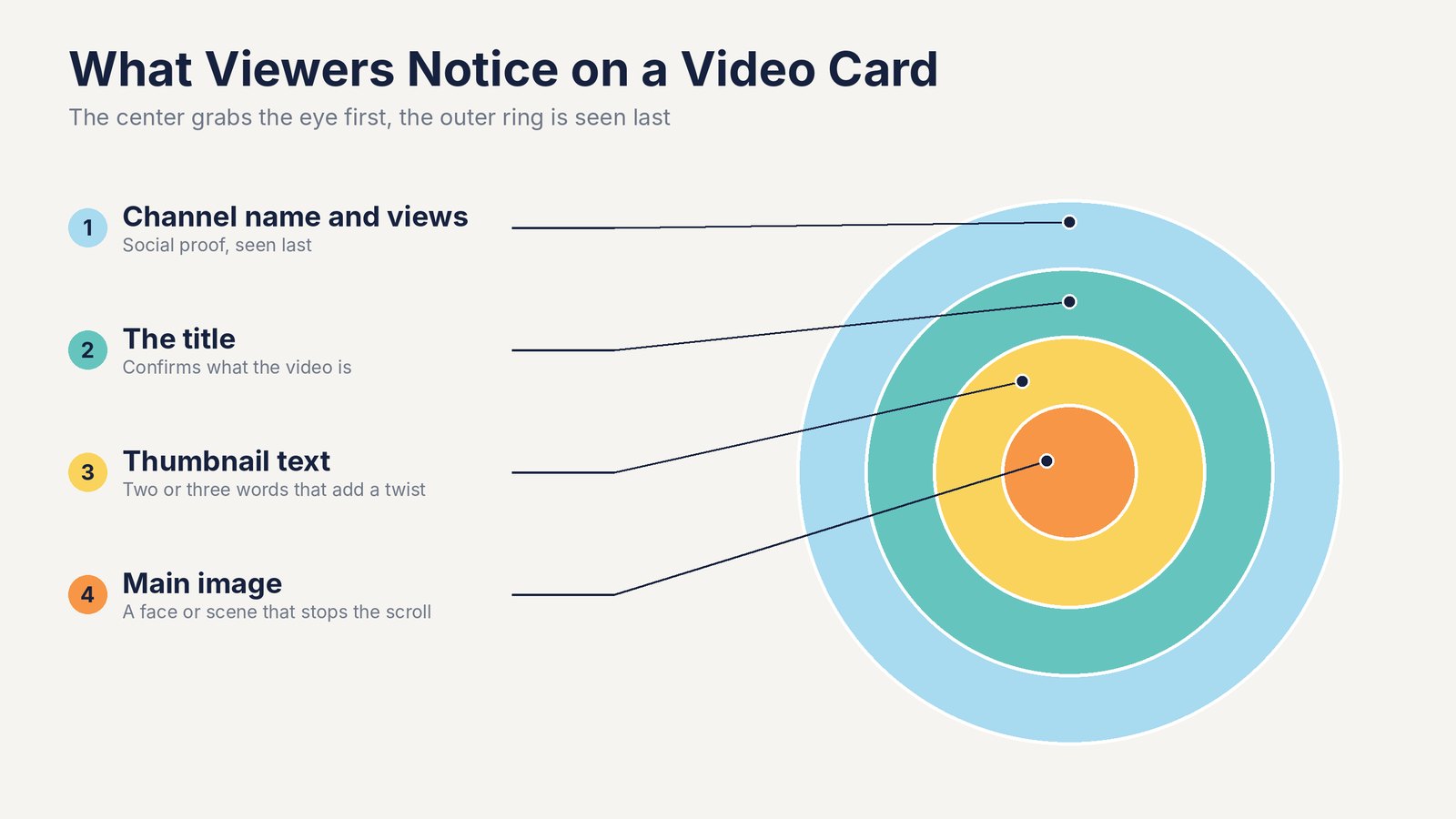
Knowing the order helps you decide what goes where.
- The main image. A face, a product or a striking scene. This is what stops the scroll.
- The thumbnail text. Two or three big words, if you use any. They add a twist or a number.
- The title. It confirms what the video is and why it matters to the viewer.
- The channel name and views. Social proof that helps a viewer decide.
Because the image is seen first, it should carry the emotion. Because the title is read to confirm, it should carry the clarity. Don't make either one do both jobs.
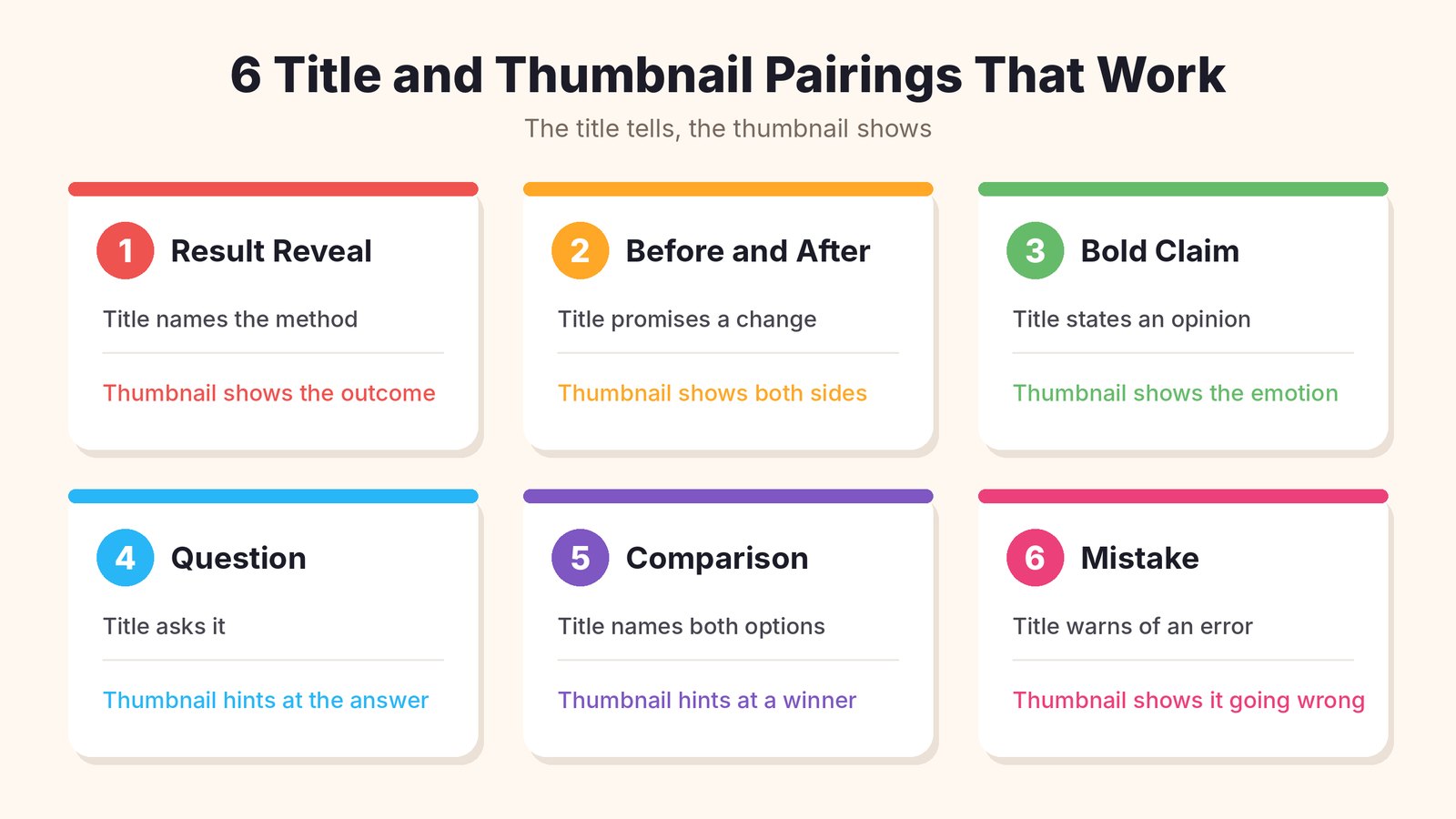
6 Title and Thumbnail Pairings That Work
You don't need to invent a new idea every week. Most winning packages use one of a few patterns. Here are six that work across niches.
1. The Result Reveal
Title names the method. Thumbnail shows the result.
Title "I Tried Cold Emailing 100 Businesses". Thumbnail shows an inbox with a big 23 REPLIES label. The viewer knows what you did and wants to know how you did it.
2. The Before and After
Title promises a change. Thumbnail shows both sides of it.
Title "Fixing My Messy Home Office in One Weekend". Thumbnail shows a split image, cluttered on the left and clean on the right. No words needed.
3. The Bold Claim
Title makes a strong statement. Thumbnail shows a face that backs it up.
Title "Stop Buying Expensive Cameras". Thumbnail shows you holding a cheap phone with a confident grin. The emotion sells the claim.
4. The Question and the Answer
Title asks a question. Thumbnail hints at the answer without giving it away.
Title "Is a $5 Microphone Good Enough?". Thumbnail shows the tiny mic with the word SHOCKED in big type. The viewer has to watch to find out why.
5. The Comparison
Title names the two options. Thumbnail shows them side by side with a clear winner hint.
Title "Phone vs Camera for YouTube Videos". Thumbnail shows both side by side with a big check mark over one. Comparisons are great for search because people type them word for word.
6. The Mistake
Title warns about an error. Thumbnail shows the moment it goes wrong.
Title "The Pricing Mistake That Killed My First Business". Thumbnail shows a worried face and a red arrow pointing at a price tag. People hate losing, so they click to avoid it.
Comparing the Pairings
| Pairing | Title does | Thumbnail does | Best for |
|---|---|---|---|
| Result reveal | Names the method | Shows the outcome | Experiments and challenges |
| Before and after | Promises a change | Shows both states | Makeovers, fitness, design |
| Bold claim | States an opinion | Shows the emotion | Reviews and advice |
| Question | Asks it | Hints at the answer | Tests and myth busting |
| Comparison | Names both options | Hints at a winner | Tech, software, products |
| Mistake | Warns of an error | Shows it going wrong | Business, finance, how-tos |
How to Write a Title That Leaves Room for the Thumbnail
A good title is clear first and clever second. Here's what helps.
- Put the keyword early. Long titles get cut off in search and on phones, so keep the main words in the first 50 characters or so.
- Make one promise. "How to Edit Faster" is clearer than "Editing Tips, Tricks, Hacks and More".
- Leave something out. If the title gives away the result, the thumbnail has nothing left to tease.
- Use plain words. Write it the way a viewer would type it into the search bar.
- Skip ALL CAPS titles. Save the shouting for the thumbnail, where three big words look bold instead of spammy.
Try writing ten titles for every video. The first few are usually obvious. The good ones tend to show up around number seven.
How to Design a Thumbnail That Completes the Title
Once the title is set, design the thumbnail to finish the thought. Our guide on how to design YouTube thumbnails that get clicks covers the full set of design rules. For pairing, these matter most.
- Never copy the title. If you use text, use different words, a number or a reaction.
- Three words or fewer. The title already does the reading. The thumbnail should be glanced at, not read.
- Match the mood. A serious title with a goofy thumbnail feels off. Keep the tone the same.
- Show the payoff. The result, the reaction or the twist. Whatever makes someone ask how.
- Check it at phone size. Shrink it down and squint. If the idea is gone, simplify.
A Simple Workflow for Every Upload
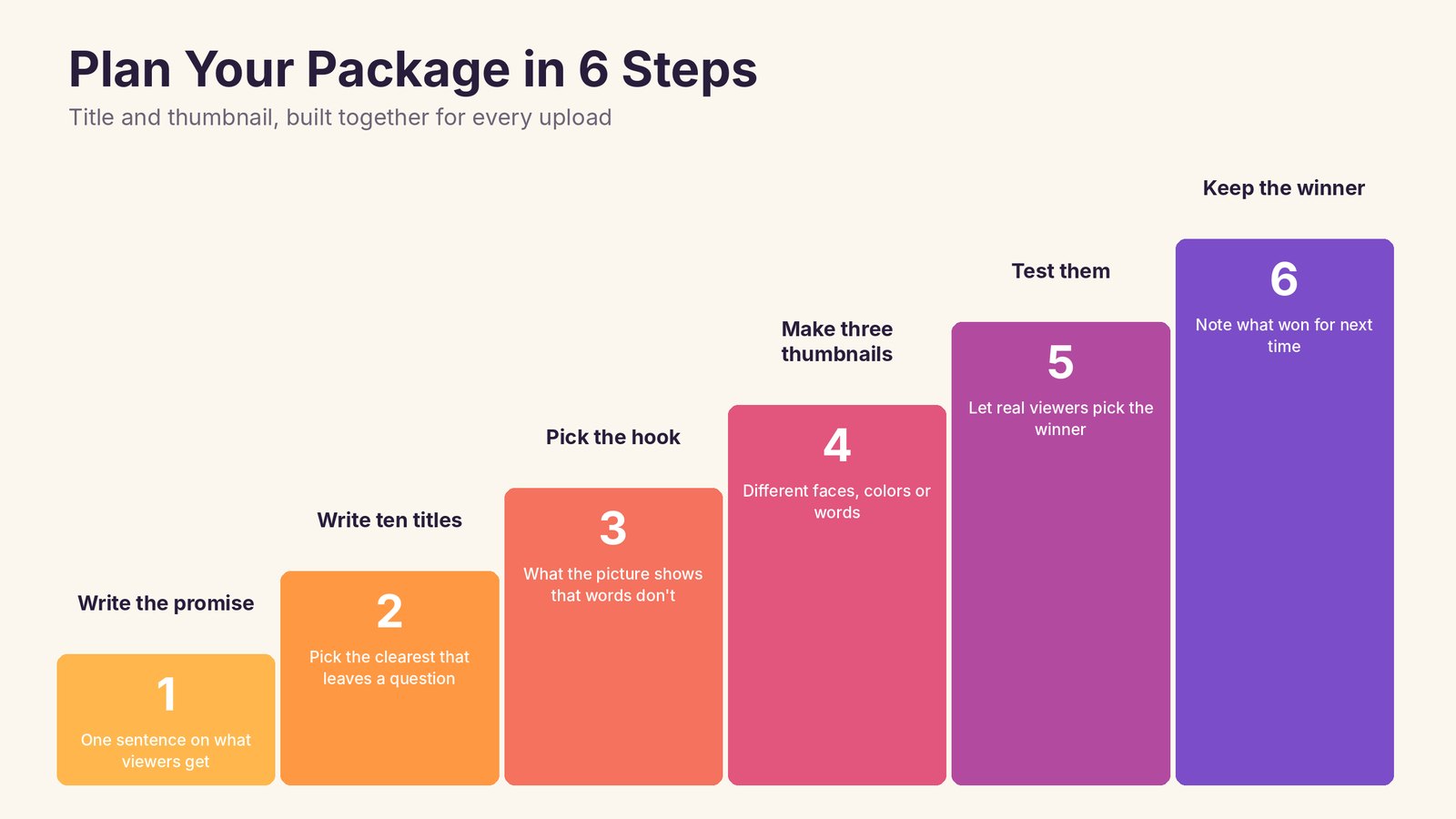
- Write the promise in one sentence. What will the viewer get from this video? Everything else comes from this.
- Write ten titles. Pick the clearest one that still leaves a question open.
- Pick the hook. Decide what the thumbnail shows that the title doesn't say. A result, a reaction or a contrast.
- Make three thumbnails. Try different faces, colors or words around the same hook. This is where Thumble saves hours.
- Test them. Use YouTube's built-in testing to let real viewers pick the winner.
- Keep the winner and learn. Note which pairing won so your next package starts stronger.
Plan the package before you film if you can. When you know the thumbnail moment in advance, you can capture it on camera instead of hunting for a usable frame later.
Make Matching Thumbnails Fast With Thumble
The workflow above asks for three thumbnails per video. By hand, that's an afternoon. With Thumble, it's a few minutes.
Thumble is an AI thumbnail maker built so small creators can make thumbnails as good as the big channels, without a design team. And because you start from your video details, the thumbnail is built around your title idea from the start.
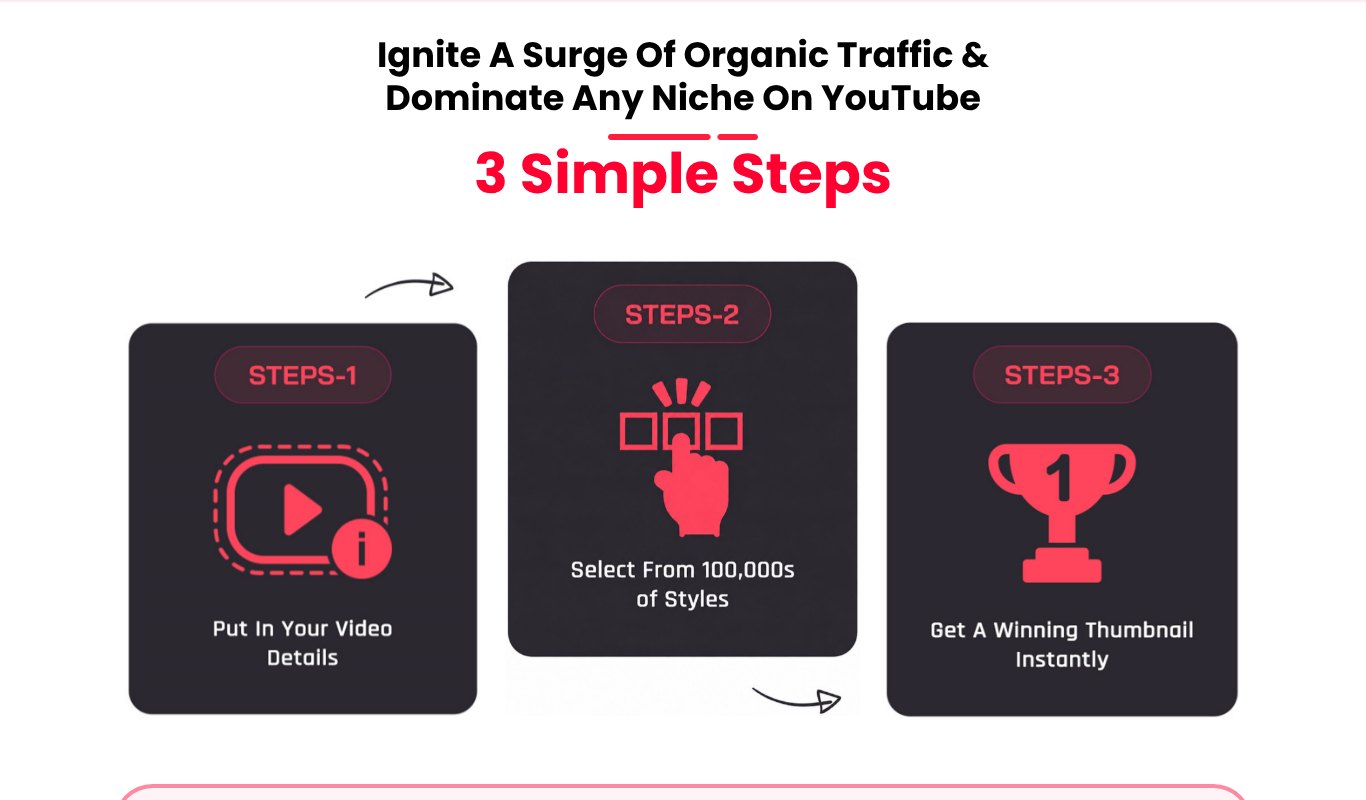
- Put in your video details. Type your topic or your title. Thumble works out the angle, so the picture fits the words.
- Pick a style. Browse the huge library of proven thumbnail styles and choose one as inspiration. Landscape for long videos, portrait for Shorts.
- Add your face. Upload one photo and Thumble builds a face thumbnail around it, with the emotion your pairing needs.
- Make variations. Generate a few versions around the same hook, then pick the best two or three for testing.
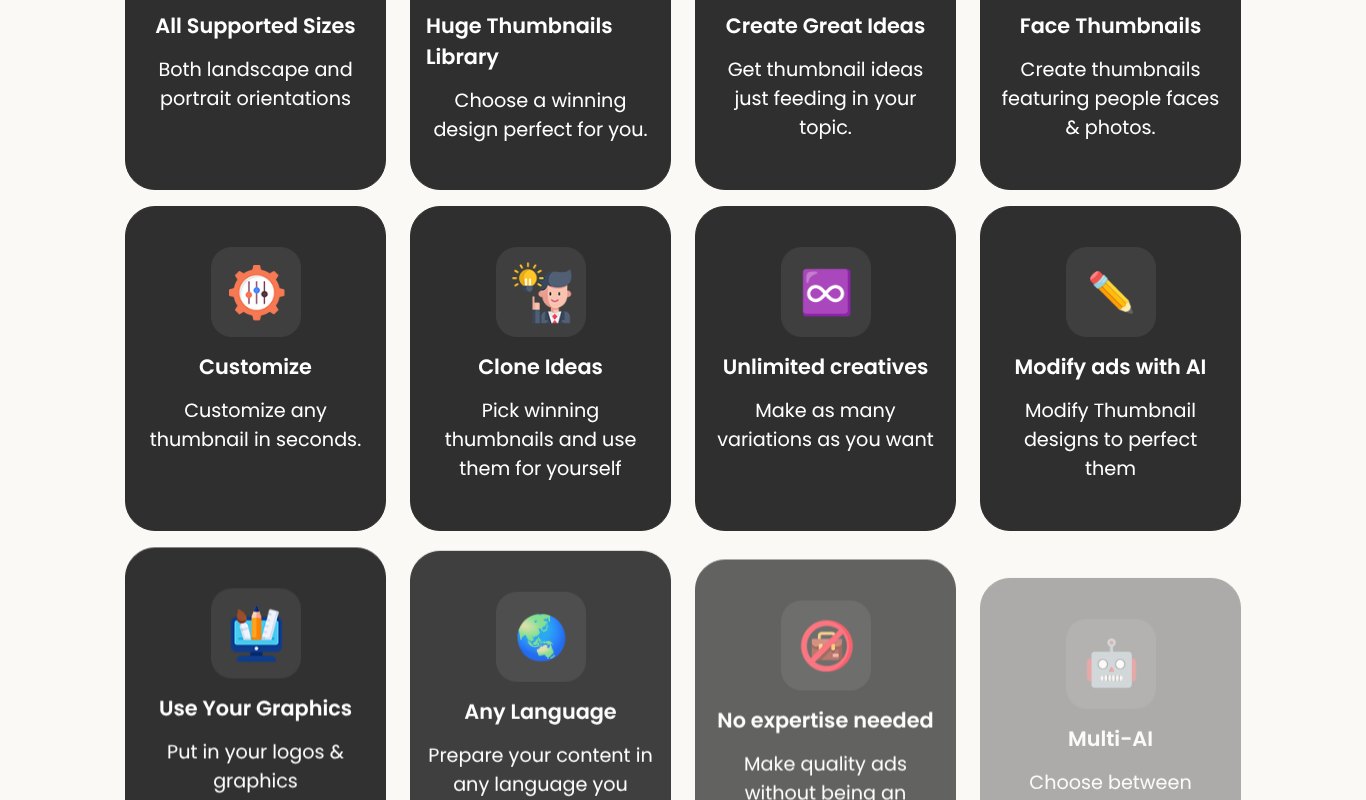
You can choose between several AI models for different looks, and Thumble works in any language, so your title and thumbnail can speak to viewers anywhere.
Thumble is $5.58 a month, paid yearly ($67 a year), or $6.99 month to month. It includes team access, and there's a 30 day refund if it isn't right for you.
Test Your Pairings Instead of Guessing
Even good instincts are wrong sometimes. That's why testing matters.
YouTube Studio lets you test up to three titles, up to three thumbnails or up to three title and thumbnail pairs on one video. It shows each version to a share of viewers and picks the one with the most watch time.
Testing pairs is the most useful option for this guide, because it tests the package as a whole, the way viewers actually see it. We walk through the whole process in how to A/B test YouTube thumbnails.
Keep a simple note of every winner. After ten videos you'll see patterns in what your audience likes, and your first guess will get better every month.
Common Packaging Mistakes
Thumbnail text that repeats the title. The most common mistake by far. Say something new or say nothing.
A clever title nobody understands. Curiosity only works if the viewer knows what the video is about.
A mismatch in tone. A calm tutorial title with a screaming thumbnail feels like a trick.
Promising what the video doesn't deliver. You'll get the click, then lose the viewer, and YouTube will notice.
Changing everything at once. When you update an old video, change the title or the thumbnail first, not both, so you know what made the difference. Or test full pairs on purpose.
Frequently Asked Questions
Should my thumbnail text match my title?
No. It should add to it. Use the thumbnail for a number, a reaction or a twist that the title doesn't say.
Which should I create first, the title or the thumbnail?
Start with the one-sentence promise, then write the title. Design the thumbnail last so it can fill the gap the title leaves open.
How long should a YouTube title be?
Keep the important words in the first 50 or so characters. Longer titles are fine, but the end may be cut off on phones and in search.
Can I change the title and thumbnail after publishing?
Yes. Many creators update packages on older videos with low click through rates. Changing one at a time, or testing pairs, shows you what works.
Do I need text on my thumbnail at all?
Not always. Many great thumbnails use no words, especially before and after shots. If the image tells the story, let it.
How can I make several thumbnail versions quickly?
Use an AI thumbnail maker like Thumble. Put in your video details, pick a style and generate variations in minutes, then test the best ones in YouTube Studio.
Final Thoughts
Your title and thumbnail aren't two tasks. They're one message, split between words and a picture.
Let the title tell, let the thumbnail show and make sure each one says something the other doesn't. Then test, keep the winner and do it again next week.
Ready to make your next package? Try Thumble and get thumbnails that match your titles in minutes, for $5.58 a month, paid yearly.