
You have finished recording, edited the video, and written the title. Now comes a surprisingly difficult decision: what image should convince someone to watch? A thumbnail needs to communicate an idea quickly, make the subject clear, and give viewers an accurate expectation of the video.
The right thumbnail maker makes that process easier. Some tools provide templates and precise control over the layout. Others use AI to help develop visual ideas. Thumble combines thumbnail-focused AI creation with reference designs, photo personalization, and variations, making it our first choice for creators who want help moving from an idea to a finished thumbnail.
This guide compares five options, including their prices, highlights, advantages, and limitations. The aim is to help you choose a tool that matches your publishing schedule, budget, and preferred way of working.
Which YouTube Thumbnail Maker Gives You the Most for Your Money?
Start with the job you need to do. A dedicated AI thumbnail tool can help with ideas and variations; a general design editor may suit you when you already know the composition and need to arrange it.
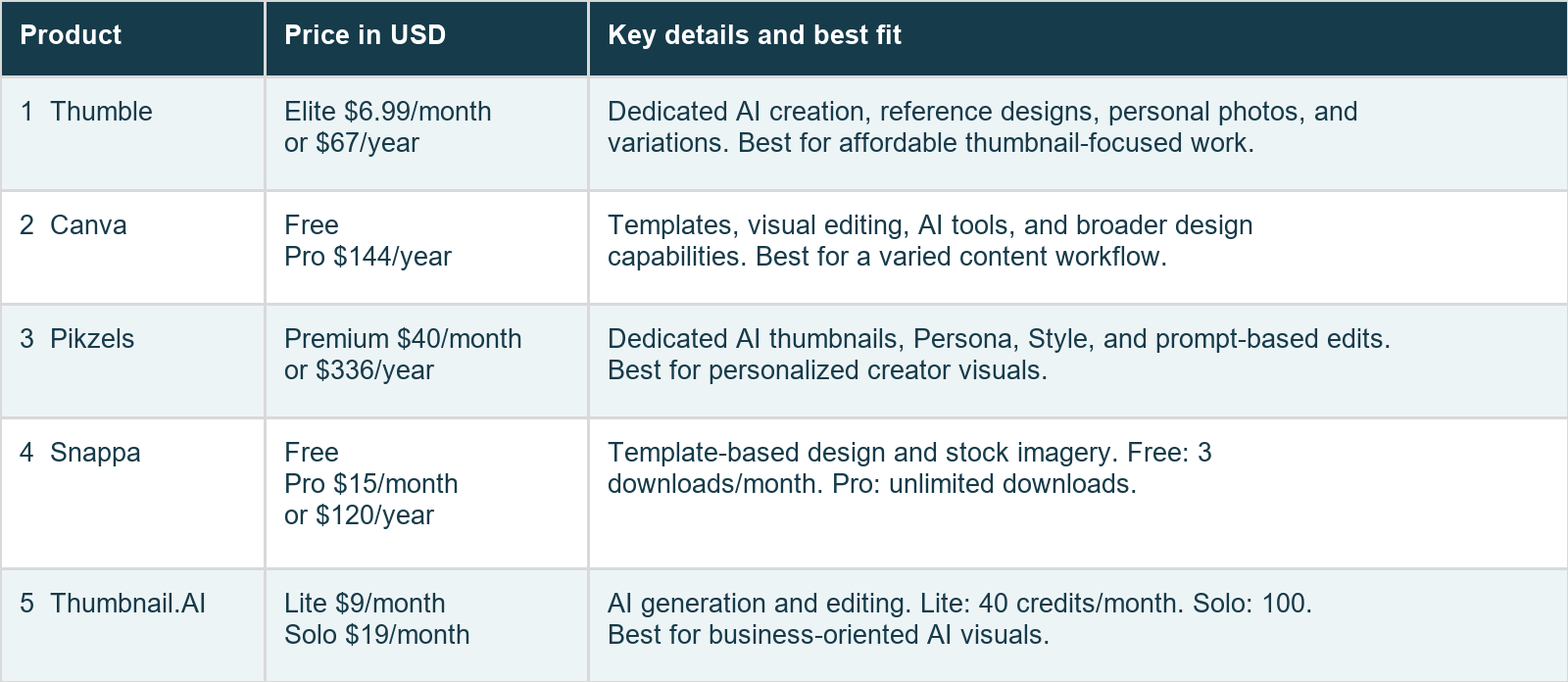
All prices are in US dollars. Annual plans are paid yearly.
Look beyond the headline price
Free plans can be sufficient for occasional use. Among the paid entry options listed here, Thumble has the lowest advertised monthly starting price.
Also distinguish downloads from generations. An editor may allow unlimited exports of designs you assemble yourself, while an AI service may charge credits whenever it produces a new result. Count the concepts and revisions you expect to make, not just the number of videos you publish.
Thumble pricing and plan details
Canva pricing and plan details
Pikzels pricing and plan details
Snappa pricing and plan details
Thumbnail.AI pricing and plan details
1 Thumble
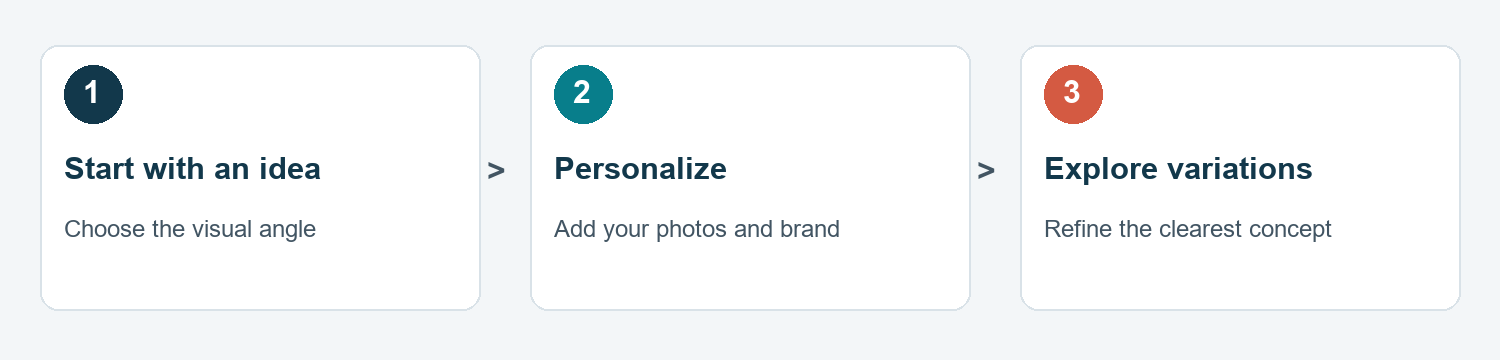
Thumble is built around a specific job: helping creators make video thumbnails without designing every element themselves. You can start with a topic, use an existing thumbnail as visual inspiration, or incorporate your own photos. AI editing and variations help you explore a direction and refine it.
Consider a video about building a home recording studio. You might explore a dramatic before-and-after image, a close-up of the finished setup, or a presenter reacting to the total cost. These are different storytelling choices. Developing alternatives is useful when you know the subject but have not settled on its strongest visual angle.
Highlights
Topic-based creation; reference designs; personal photos and branding graphics; AI-assisted edits; landscape and portrait layouts; multiple visual variations.
Pros: Ideation and thumbnail creation sit within the same workflow. The low entry price makes a dedicated subscription easier to justify when you already pay for video editing and other creator tools.
Cons: Elite has usage limits and limited AI options. The published listing includes up to 10 thumbnails daily. Its FAQ says services for other businesses require Pro or All-Inclusive access, so agencies should choose their license carefully.
Price: The linked Elite offers are $6.99 monthly or $67 annually. The annual option works out to approximately $5.58 per month when paid yearly.
Why it ranks first
For creators buying specifically for thumbnail production, the combination of relevant AI features and an affordable entry point is compelling. You are paying for help with the visual concept as well as its execution. That is the basis of our recommendation, rather than a promise that every generated image will outperform every alternative.
Explore Thumble features and plans
Watch the official Thumble demo
2 Canva
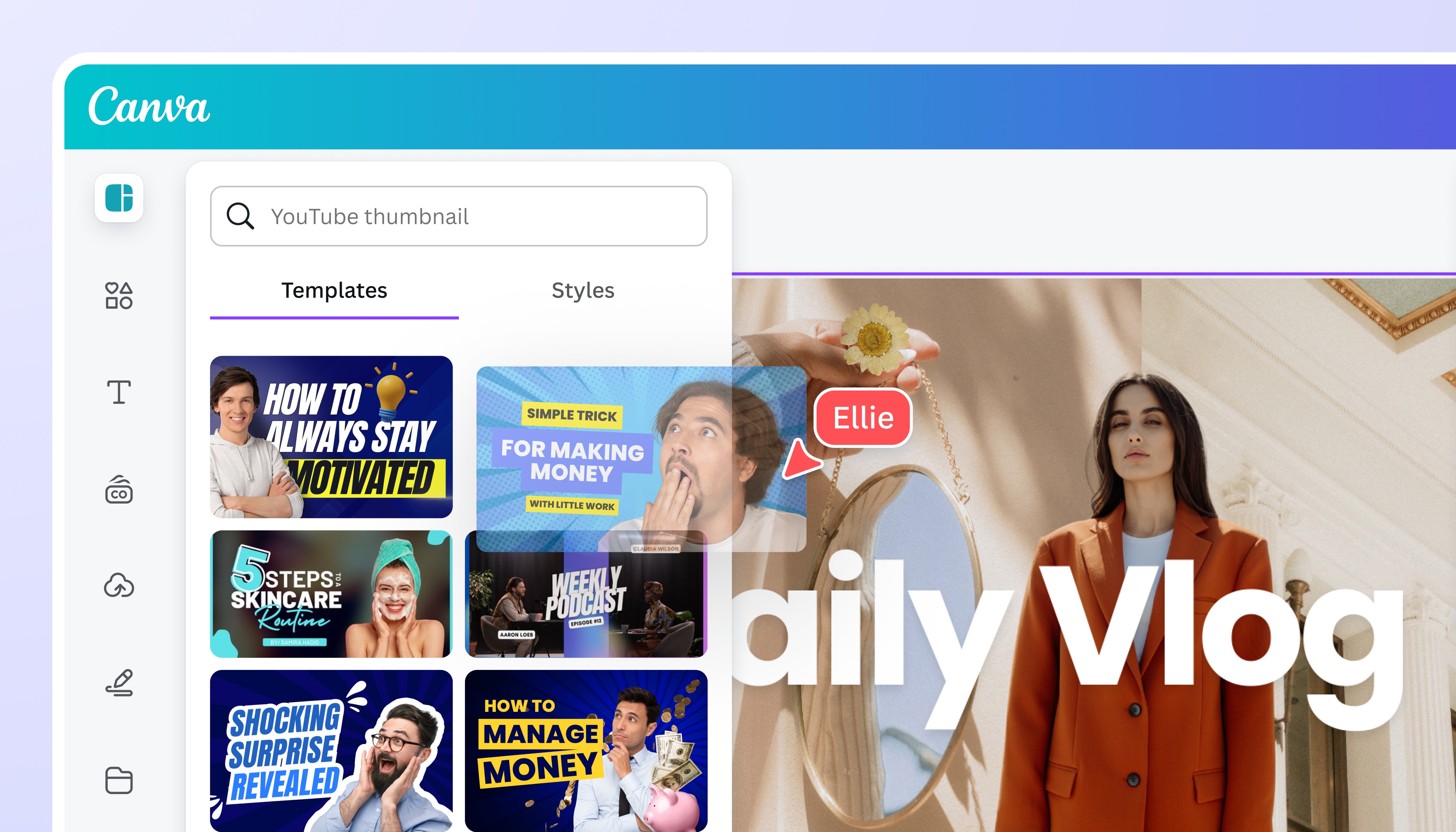
Canva makes sense when YouTube thumbnails are one part of a larger content operation. You may need a thumbnail today, an Instagram announcement tomorrow, and a presentation next week. A shared design environment can help keep those assets visually consistent.
Its thumbnail maker offers customizable templates, uploaded images, text, graphics, and collaborative feedback. You can begin with an existing layout and adjust it to suit your channel, or create a composition using your own video stills.
Highlights
Ready-made thumbnail layouts; visual editing; personal photographs and video snapshots; collaborative reviews; tools for many other content formats.
Pros: Canva is practical for creators who enjoy controlling composition. You can adjust text placement, image size, and spacing directly. A free plan also gives beginners a starting point before they commit to a subscription.
Cons: A template does not decide the visual hook for you. You still need to choose the subject, simplify the message, and avoid filling every available space. Premium assets and higher AI allowances depend on the plan.
Price: Canva Pro is listed at $144 annually in the US, equivalent to $12 per month when paid yearly. A free plan is available.
Compared with Thumble: Choose Canva when broad design flexibility matters most. Choose Thumble when you want dedicated assistance developing thumbnail concepts and variations around your video idea.
If you already subscribe to Canva for other work, try your existing workflow first. A second tool earns its place when it solves a recurring creative bottleneck, not simply because it adds another collection of templates.
Watch Canva create a YouTube thumbnail
3 Pikzels
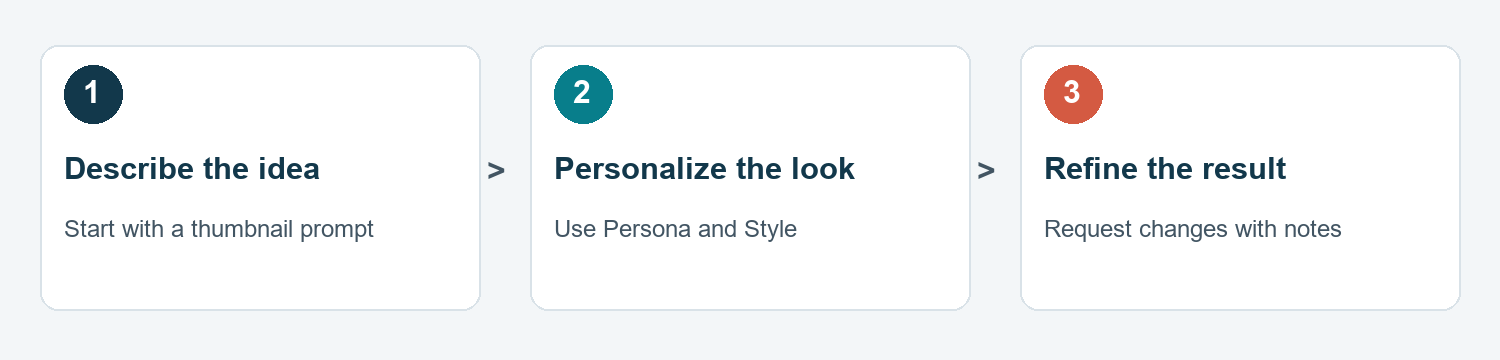
Pikzels is a dedicated AI thumbnail maker. Its tools include prompt-based generation, recreating a thumbnail format from a YouTube link, and editing through written instructions. Persona and Style features help creators work toward a repeatable visual identity.
For a presenter-led channel, consistency is a useful goal. Think about a series in which the same person appears across tutorials, reviews, and reaction videos. You want the channel to feel recognizable while each image communicates a different reason to watch.
Highlights
Prompt-to-thumbnail generation; reference-based recreation; written editing instructions; Persona and Style; thumbnail and title tools.
Pros: Its specialist focus makes it relevant to creators producing thumbnails regularly. Personalization features give you ways to carry a recognizable face and visual direction across different topics.
Cons: The Premium subscription costs considerably more than Thumble Elite. Generation also consumes credits, so you need to account for variations and revisions when planning your output.
Price: Premium is listed at $40 per month, or $28 per month billed annually at $336. The annual plan lists 18,000 credits, with thumbnails costing 10 to 20 credits each.
Compared with Thumble: Pikzels is a relevant specialist alternative, but Thumble offers a much lower entry price: $6.99 monthly or $67 yearly. For creators prioritizing an affordable dedicated thumbnail workflow, that gives Thumble a clear advantage.
The right comparison is the workflow you will actually repeat. Try a tutorial, a product review, and a story-led video as three briefs. Look for a tool that helps you express the difference between them while keeping your channel recognizable. A familiar face alone is not a complete thumbnail idea; the subject and promise still need to be clear.
Explore Pikzels features and pricing
Watch Pikzels in action with Marcus Jones
4 Snappa
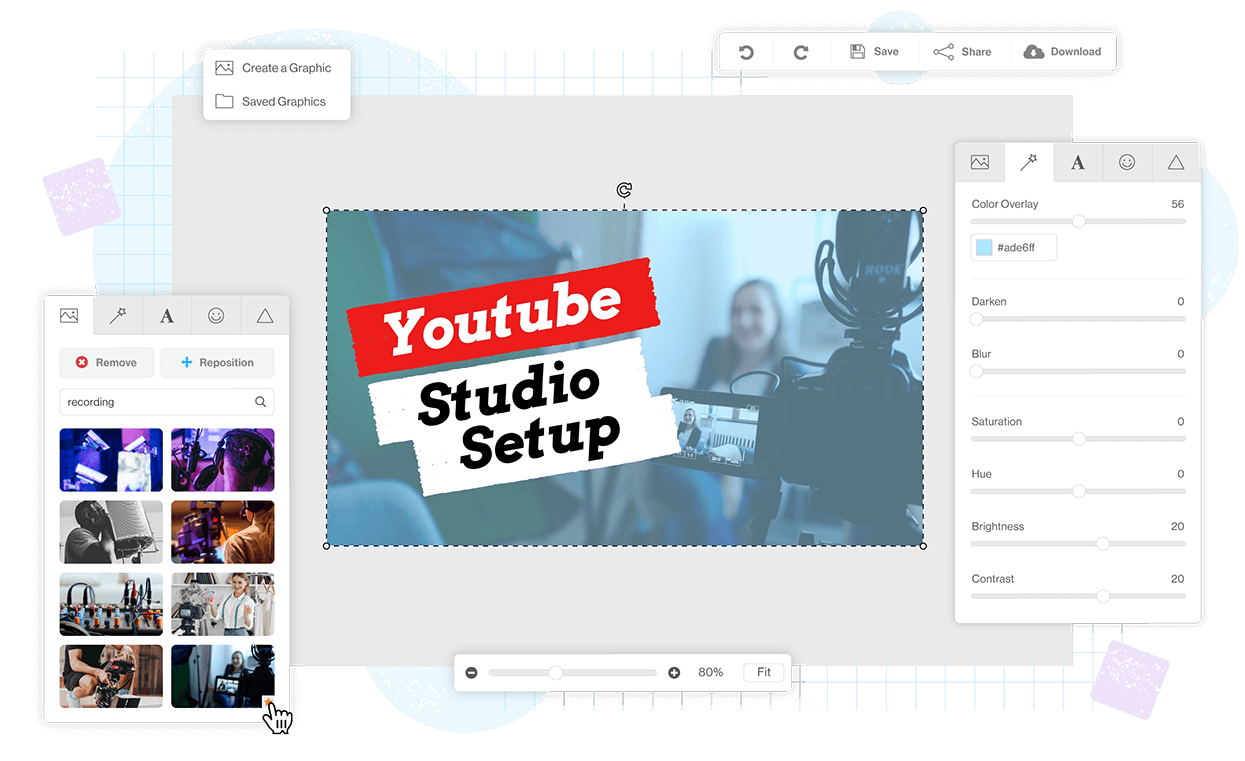
Snappa takes a direct approach: choose a layout, add imagery, adjust the text and graphics, and download the result. Its published workflow emphasizes preset dimensions, customizable templates, stock photography, and uploads of your own video snapshots.
A tutorial channel with an established visual format is a good example. If every video uses a product screenshot, a short headline, and consistent colors, repeating that structure may be more useful than generating an entirely new style each time.
Highlights
Thumbnail presets and reusable layouts; stock images and uploaded photographs; customizable text, shapes, and graphics; background removal and custom font uploads on Pro.
Pros: The template-driven approach keeps the creative process understandable. Pro includes unlimited downloads, which is helpful when you publish frequently or export several versions of a design.
Cons: The free plan permits only three downloads per month, which can restrict even a weekly publishing schedule. Its documented workflow puts responsibility for assembling the final visual largely in your hands.
Price: Snappa Pro costs $15 monthly, or $10 per month billed annually, totaling $120 per year.
Compared with Thumble: Snappa fits creators who prefer manual composition. Thumble is a stronger match when the sticking point is developing visual alternatives before arranging the design.
Consistency can be an advantage for a recurring series. Keep the recognizable elements, but change the subject and visual promise enough that each episode feels distinct. A repeatable layout should help viewers identify your channel without making different videos look interchangeable.
Watch the official Snappa thumbnail tutorial
5 Thumbnail AI
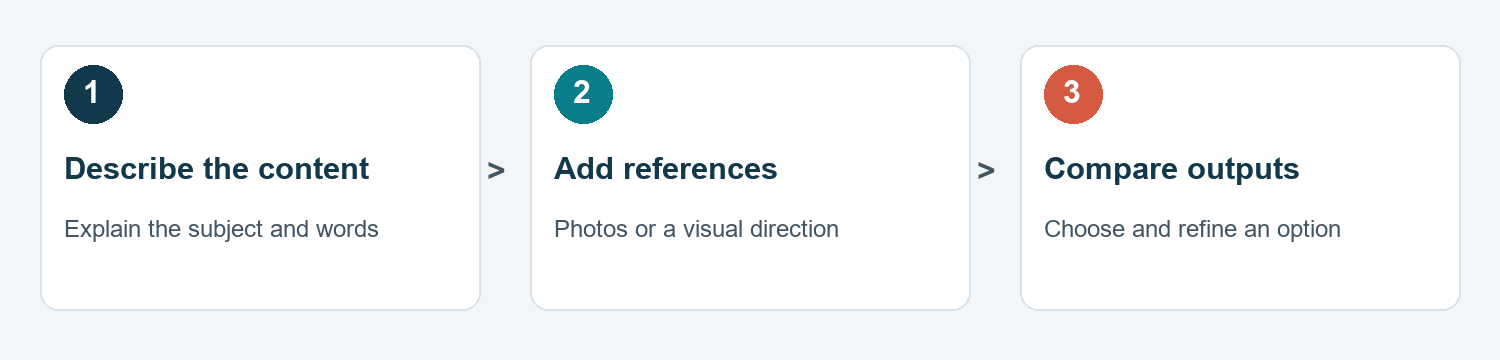
Thumbnail.AI positions itself around professional-looking content for business owners, consultants, educators, and other publishers. You describe the subject, specify words, and optionally supply photographs, screenshots, or reference imagery. Several aspect ratios support work beyond standard video thumbnails.
That makes it relevant when a YouTube channel supports a broader business. A consultant, for instance, may need visuals for tutorials, training materials, and blog posts with a consistent professional tone.
Highlights
Description-based AI generation; reference images; follow-up editing; reusable templates; multiple aspect ratios; a separate free manual thumbnail editor.
Pros: Specific credit allowances make it possible to plan around expected output. Several subscription levels accommodate different publishing volumes, while reference images help communicate the desired visual direction.
Cons: Credits require attention when you generate alternatives. On Lite and Solo, an HD result uses two credits rather than one, so the number of completed images depends on how you use the allowance.
Price: Lite costs $9 monthly for 40 credits. Solo costs $19 monthly for 100 credits. Higher subscriptions and pay-as-you-go packs are also listed.
Compared with Thumble: Thumbnail.AI is worth considering for business-oriented imagery and a credit-based workflow. Thumble offers a lower monthly entry price and a focus closely aligned with video thumbnail ideation.
Before choosing a credit allowance, think about rejected drafts as well as final images. If one successful thumbnail takes several attempts, the useful measure is the cost of reaching an acceptable result. Planning for that experimentation avoids choosing a tier that looks sufficient only on paper.
Watch the demo featured on Thumbnail.AI
Why Thumble is our first choice
For creators seeking affordable AI thumbnail assistance, Thumble offers a compelling starting point. Its workflow addresses the decisions involved in making a video thumbnail: finding an angle, developing a visual, personalizing it, and exploring alternatives.
Price strengthens that case. The linked monthly offer is $6.99, below the other paid monthly entry options listed here. The linked annual offer is $67. Free editors remain useful, but creators buying a dedicated AI thumbnail subscription have a clear reason to consider Thumble first.
Match the tool to your bottleneck
If you usually know exactly what you want, a visual editor may be sufficient. You are paying for convenient execution: positioning an image, changing the headline, and maintaining your channel style. If you struggle to decide what the thumbnail should show, give more weight to concept generation and variation.
Estimate your real workload. Four videos per month does not necessarily mean four thumbnails. Exploring three concepts for each video already means twelve candidate designs. Revisions can increase that number, so compare the applicable limits before committing.
Compare tools with one consistent brief
Give each shortlisted tool the same topic, photograph, and intended message. Judge the results at a small viewing size. Ask whether the subject is obvious, the text is readable, and the design represents the actual video. This is more useful than choosing whichever image looks most elaborate at full resolution.
Build a repeatable thumbnail habit
Create several concepts while planning your video. Choose the clearest promise, make sure the content delivers it, and refine the image before publishing. Avoid treating the thumbnail as a decoration added after every other decision has been made.
Broader design suites may suit creators with different needs. For someone who wants a focused, affordable way to develop AI-assisted thumbnails, Thumble is our top recommendation. Start with your next video idea, explore three distinct concepts, and choose the one that communicates the strongest, most accurate reason to watch.